Keep a daily work log
Capture progress, decisions, blockers, and wins while the day is still fresh instead of reconstructing the week from memory.
How to use it for a daily log →WorkNotes: daily notepad for iPhone
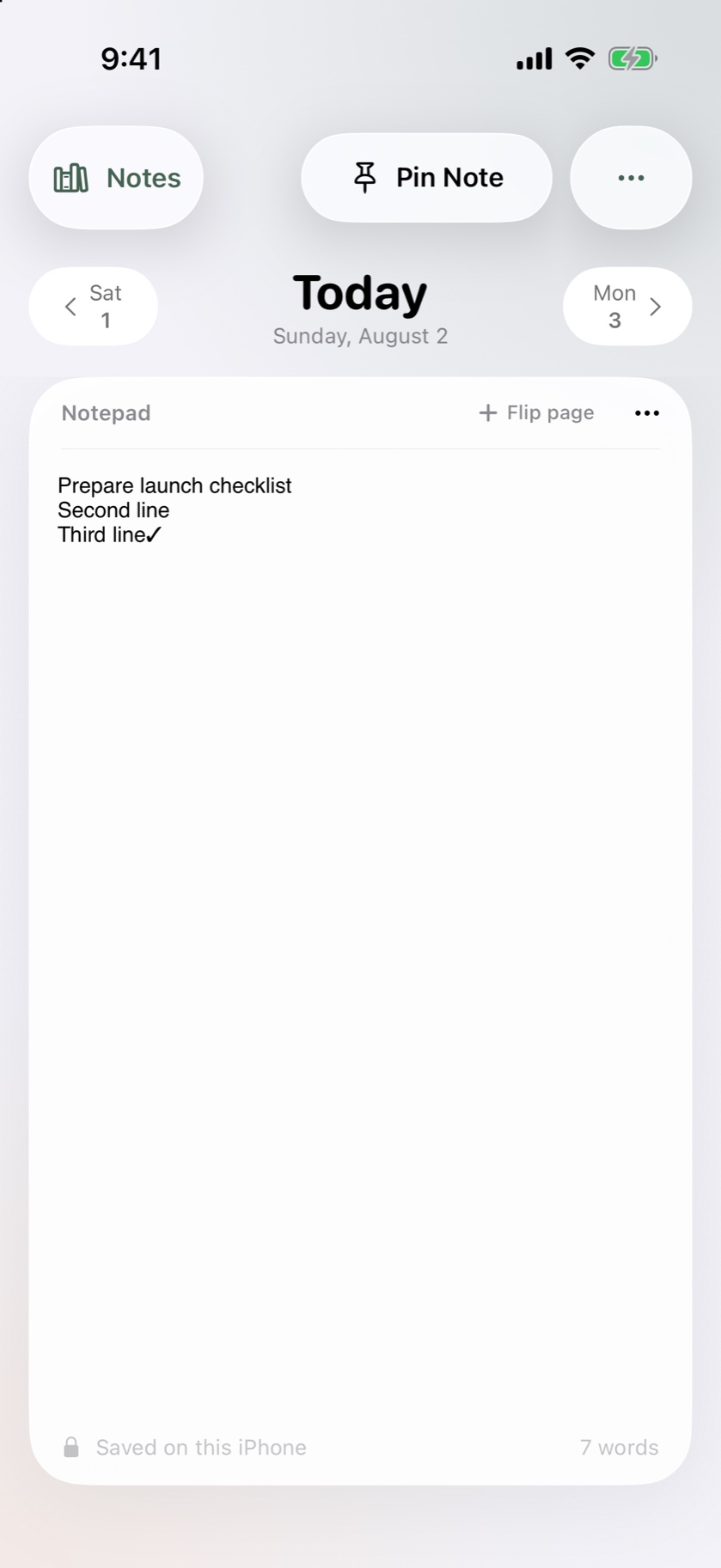
WorkNotes gives every workday a clear page. Write one calm, useful note for today, move through past workdays, and keep the important thread close.
Free to download · iPhone with iOS 26 or later · WorkNotes Pro is optional
Why keep work notes?
A work note can be a short record of what changed, what matters next, and what you want to carry into tomorrow. WorkNotes gives that record a date, a place, and a quick way back.
Capture progress, decisions, blockers, and wins while the day is still fresh instead of reconstructing the week from memory.
How to use it for a daily log →Keep the purpose, decisions, open questions, and next actions together in a note you can revisit without a maze of folders.
WorkNotes for meeting notes →Use dated pages for the small decisions and next steps that are easy to lose between larger project documents.
WorkNotes for project notes →Inside WorkNotes
The app is built around the workday rather than around an endless list of tools.
Open today’s note, swipe between workdays, and carry yesterday forward when that is the right starting point.
Explore the daily notebook →Use bold, italic, bullets, and checkmarks to make a note readable without turning it into a document-management project.
See the writing tools →Notes stay on your iPhone and can sync through your private iCloud container with Pro. No WorkNotes account is needed.
Read the privacy model →Pin the visible note to a Live Activity. Full-note Apple Watch access and widgets are available with Pro.
See iPhone and Watch support →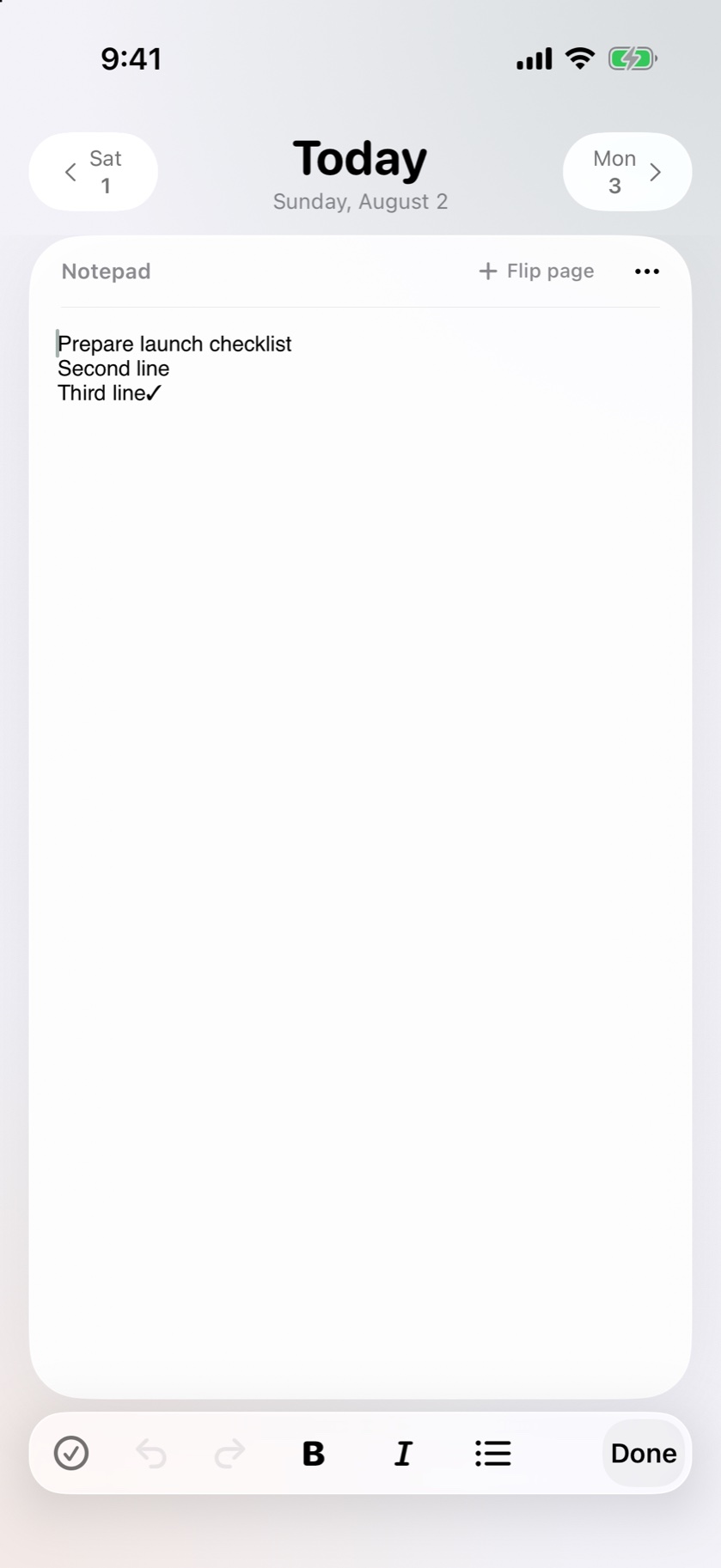
Write naturally
Use the essentials when they help: a heading, a short list, a checkbox, or a few words that make the next step obvious. WorkNotes keeps editing close to the page instead of asking you to maintain a complicated system.
WorkNotes Pro
Start with the focused daily note. Upgrade when you need private iCloud sync, templates, complete history, previous versions, exports, multiple notes per day, or the full current note on Apple Watch.
Live Activities remain available without Pro. Prices and plan availability are shown in the App Store.
Compare the full feature set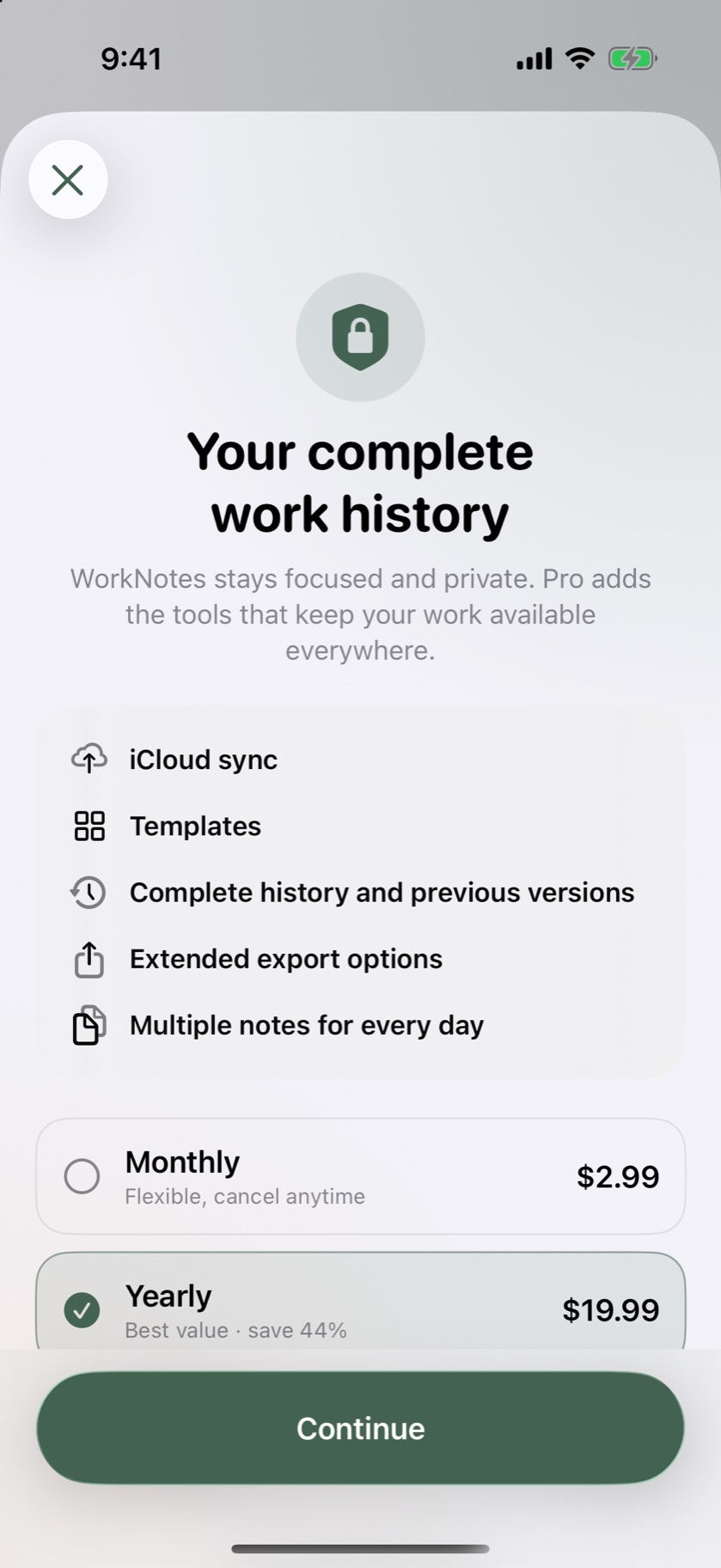
Short answers
WorkNotes is an iPhone app for iOS 26 or later. The core note flow works offline. It is designed for personal work notes rather than as a browser-based team workspace.
No. The daily note, date navigation, essential formatting, offline access, and Live Activities are available without Pro. Pro adds sync, history, templates, exports, multiple notes per day, and full-note Apple Watch access.
WorkNotes has no proprietary account. Notes are stored on your device; if you enable Pro iCloud sync, Apple stores copies in your private iCloud container. Note content is not sent to the analytics or Live Activity delivery services.
A clear place to begin
Download WorkNotes for iPhone and start with one page. Keep it short, keep it useful, and let the date do some of the organising.