What local-first means in WorkNotes.
The core note flow works offline and notes are stored on your iPhone. WorkNotes has no proprietary account or sign-in. If you choose WorkNotes Pro, Apple stores synced copies in your private iCloud container so your notes can move between your devices.
This is a practical privacy boundary: the app does not need a WorkNotes cloud account to be useful.
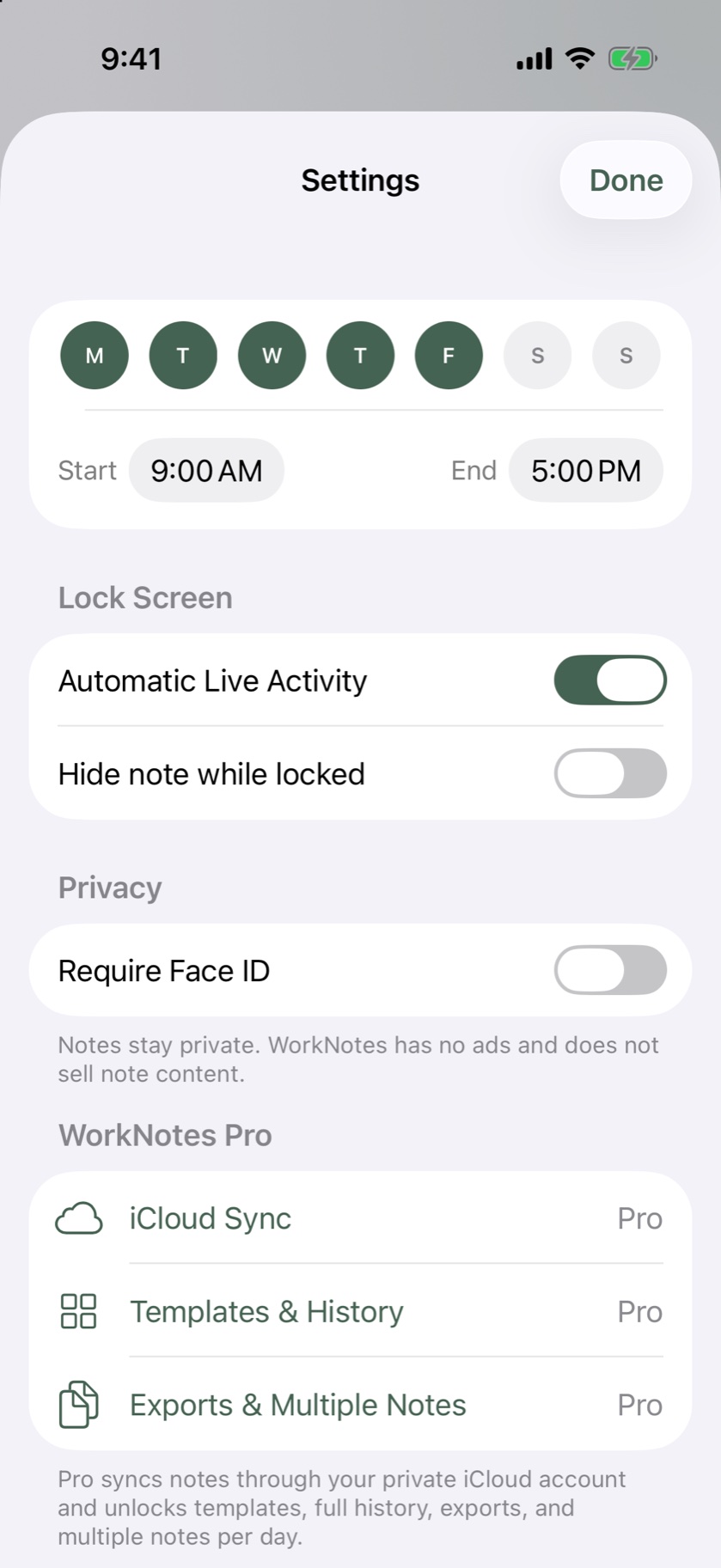
Privacy controls that match the note.
- Face ID: protect private notes with the device’s biometric security when enabled.
- Lock Screen privacy: hide the note while the device is locked.
- No advertising: WorkNotes does not show ads or use cross-app tracking.
- Content boundaries: note text is not sent to the product analytics or Live Activity delivery services.
What is still handled by platform services?
Apple provides App Store, StoreKit, iCloud, and device services. RevenueCat handles purchase entitlement validation, and Aptabase receives limited, content-free usage summaries. If you enable the automatic Live Activity, the delivery service receives only the opaque ActivityKit push token, activity identifier, scheduled end time, and content-free display settings needed to end the activity on time.
The complete details, including retention and user rights, are in the WorkNotes Privacy Policy.
A clear boundary
“Private” does not mean that no platform ever processes anything. It means WorkNotes does not create its own note-content account or use your note text for ads, profiling, or AI training. Apple and the other platform providers operate under their own services and policies.
Want to see the feature set?
Start with the free daily notebook. Choose Pro only if you want private iCloud sync, full history, templates, exports, multiple notes per day, or Apple Watch access.