Start with today, not a filing system.
A date is enough to begin. WorkNotes lets you move backward and forward through workdays, so the timeline of your work stays visible without asking you to predict the perfect category first.
- Open one focused note for each workday.
- Swipe between days when context matters.
- Carry yesterday’s note forward when it is the right starting point.
- Search finished notes when you need the longer view.
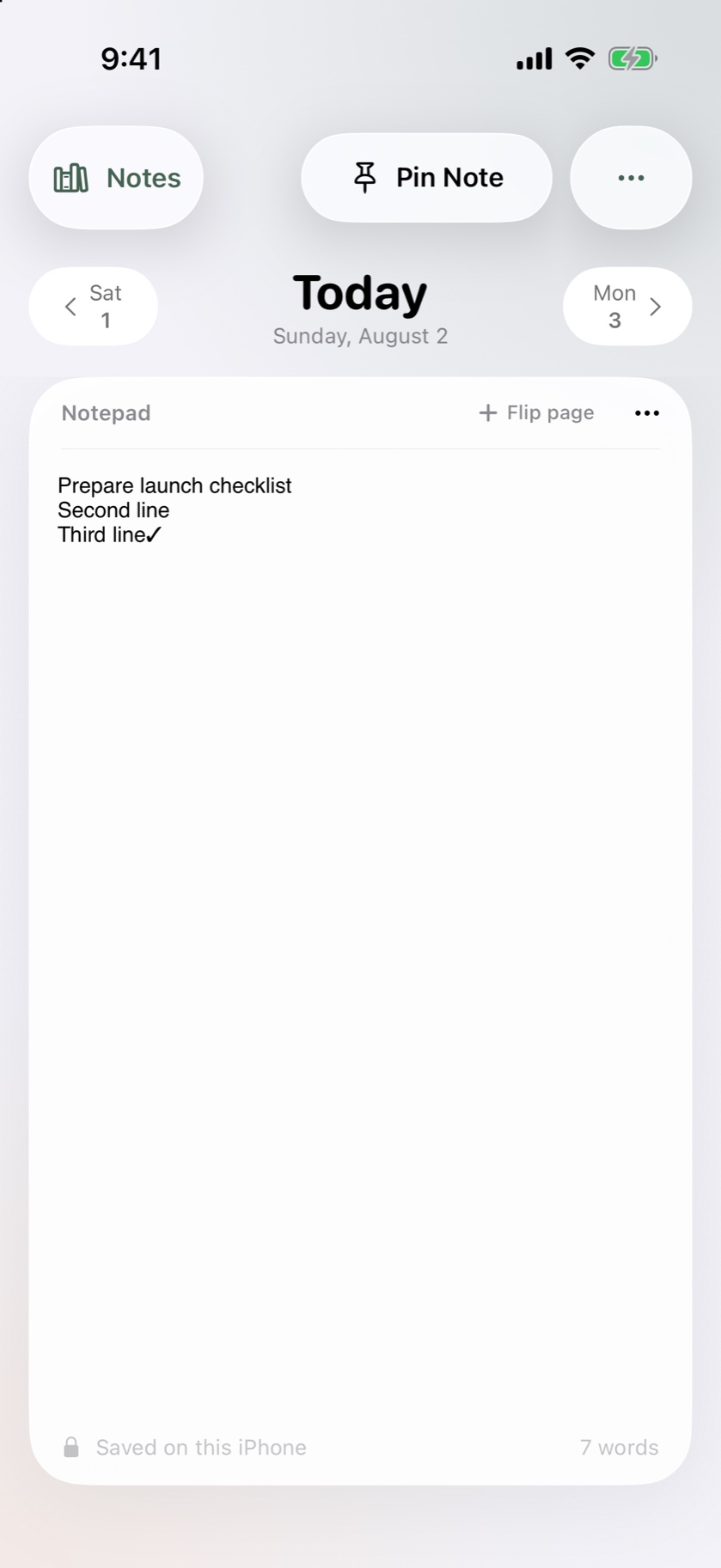
Write enough structure to make the note useful later.
WorkNotes includes the formatting most short work notes need: bold, italic, bullets, and checkmarks. Use a heading for the subject, a list for the moving parts, and a checkmark for the action you do not want to lose.
A small daily pattern
Context: what is this note about?
Progress: what changed today?
Next: what is the first useful step when you return?
Let the archive grow only when you need it.
The core daily note stays intentionally simple. WorkNotes Pro adds the longer memory: private iCloud sync, templates, complete history, previous versions, extended exports, and multiple notes per day. That makes Pro useful when your daily page has become part of a real working archive—not something you need to decide on before you begin.
Best fit, and honest limits
WorkNotes is best for personal work notes on iPhone: daily logs, meeting follow-ups, project decisions, and recurring routines. It is not a collaborative document editor or a project-management suite, so choose it when a dated personal notebook is the right tool.
Good starting points
Daily work log
Keep a lightweight record of progress, blockers, and wins.
See the daily log use case →Meeting follow-up
Turn decisions and next actions into a page you can find again.
See the meeting notes use case →Tomorrow’s first step
End the day by leaving a clear re-entry point for yourself.
Read the five-minute guide →